优秀的安全工具合集棱角社区出品
安全工具分享,如代码审计工具;安全评估工具;防火墙等(PS:仅作为安全研究,不得从事恶意活动!)。
-
添加时间:2023-03-02 12:31:47
标题:【 信息收集 】naabu - 一款基于Go语言开发的快速端口扫描工具
项目地址/下载地址:https://github.com/projectdiscovery/naabu


Features • Installation • Usage • Running naabu • Config • NMAP integration • CDN Exclusion • Discord
Naabu is a port scanning tool written in Go that allows you to enumerate valid ports for hosts in a fast and reliable manner. It is a really simple tool that does fast SYN/CONNECT/UDP scans on the host/list of hosts and lists all ports that return a reply.
Features
- Fast And Simple SYN/CONNECT/UDP probe based scanning
- Optimized for ease of use and lightweight on resources
- DNS Port scan
- Automatic IP Deduplication for DNS port scan
- IPv4/IPv6 Port scan (experimental)
- Passive Port enumeration using Shodan Internetdb
- Host Discovery scan (experimental)
- NMAP integration for service discovery
- Multiple input support - STDIN/HOST/IP/CIDR/ASN
- Multiple output format support - JSON/TXT/STDOUT
Usage
naabu -hThis will display help for the tool. Here are all the switches it supports.
Usage:
  ./naabu [flags]

INPUT:
   -host string[]              hosts to scan ports for (comma-separated)
   -list, -l string            list of hosts to scan ports (file)
   -exclude-hosts, -eh string  hosts to exclude from the scan (comma-separated)
   -exclude-file, -ef string   list of hosts to exclude from scan (file)

PORT:
   -port, -p string            ports to scan (80,443,100-200,u:53)
   -top-ports, -tp string      top ports to scan (default 100)
   -exclude-ports, -ep string  ports to exclude from scan (comma-separated)
   -ports-file, -pf string     list of ports to scan (file)
   -port-threshold, -pts int   port threshold to skip port scan for the host
   -exclude-cdn, -ec           skip full port scans for CDN's (only checks for 80,443)
   -display-cdn, -cdn          display cdn in use

RATE-LIMIT:
   -c int     general internal worker threads (default 25)
   -rate int  packets to send per second (default 1000)

OUTPUT:
   -o, -output string  file to write output to (optional)
   -json               write output in JSON lines format
   -csv                write output in csv format

CONFIGURATION:
   -scan-all-ips, -sa                  scan all the IP's associated with DNS record
   -ip-version, -iv string[]           ip version to scan of hostname (4,6) - (default 4)
   -scan-type, -s string               type of port scan (SYN/CONNECT) (default "s")
   -source-ip string                   source ip and port (x.x.x.x:yyy)
   -interface-list, -il                list available interfaces and public ip
   -interface, -i string               network Interface to use for port scan
   -nmap                               invoke nmap scan on targets (nmap must be installed) - Deprecated
   -nmap-cli string                    nmap command to run on found results (example: -nmap-cli 'nmap -sV')
   -r string                           list of custom resolver dns resolution (comma separated or from file)
   -proxy string                       socks5 proxy (ip[:port] / fqdn[:port]
   -proxy-auth string                  socks5 proxy authentication (username:password)
   -resume                             resume scan using resume.cfg
   -stream                             stream mode (disables resume, nmap, verify, retries, shuffling, etc)
   -passive                            display passive open ports using shodan internetdb api
   -irt, -input-read-timeout duration  timeout on input read (default 3m0s)
   -no-stdin                           Disable Stdin processing

HOST-DISCOVERY:
   -sn, -host-discovery           Perform Only Host Discovery
   -Pn, -skip-host-discovery      Skip Host discovery
   -ps, -probe-tcp-syn string[]   TCP SYN Ping (host discovery needs to be enabled)
   -pa, -probe-tcp-ack string[]   TCP ACK Ping (host discovery needs to be enabled)
   -pe, -probe-icmp-echo          ICMP echo request Ping (host discovery needs to be enabled)
   -pp, -probe-icmp-timestamp     ICMP timestamp request Ping (host discovery needs to be enabled)
   -pm, -probe-icmp-address-mask  ICMP address mask request Ping (host discovery needs to be enabled)
   -arp, -arp-ping                ARP ping (host discovery needs to be enabled)
   -nd, -nd-ping                  IPv6 Neighbor Discovery (host discovery needs to be enabled)
   -rev-ptr                       Reverse PTR lookup for input ips

OPTIMIZATION:
   -retries int       number of retries for the port scan (default 3)
   -timeout int       millisecond to wait before timing out (default 1000)
   -warm-up-time int  time in seconds between scan phases (default 2)
   -ping              ping probes for verification of host
   -verify            validate the ports again with TCP verification

DEBUG:
   -health-check, -hc        run diagnostic check up
   -debug                    display debugging information
   -verbose, -v              display verbose output
   -no-color, -nc            disable colors in CLI output
   -silent                   display only results in output
   -version                  display version of naabu
   -stats                    display stats of the running scan
   -si, -stats-interval int  number of seconds to wait between showing a statistics update (default 5)
Installation Instructions
Download the ready to run binary / docker or install with GO
Prerequisite
Note: before installing naabu, make sure to install
libpcaplibrary for packet capturing.To install libcap on Linux:
sudo apt install -y libpcap-dev, on Mac:sudo brew install libpcapInstalling Naabu
go install -v github.com/projectdiscovery/naabu/v2/cmd/naabu@latestRunning Naabu
To run the tool on a target, just use the following command.
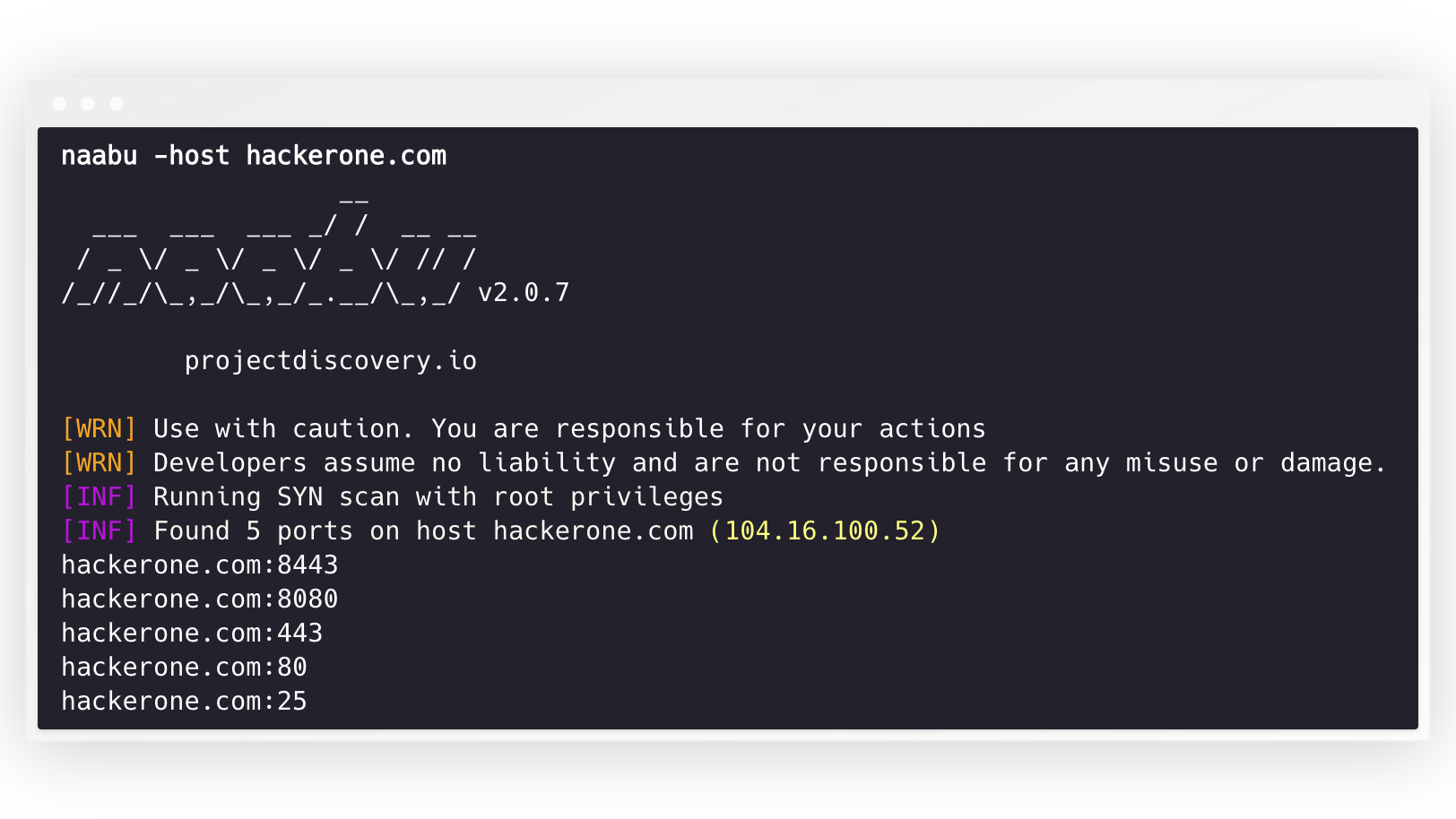
naabu -host hackerone.comThis will run the tool against hackerone.com. There are a number of configuration options that you can pass along with this command. The verbose switch
-vcan be used to display verbose information.naabu -host hackerone.com __ ___ ___ ___ _/ / __ __ / _ \/ _ \/ _ \/ _ \/ // / /_//_/\_,_/\_,_/_.__/\_,_/ v2.0.3 projectdiscovery.io [WRN] Use with caution. You are responsible for your actions [WRN] Developers assume no liability and are not responsible for any misuse or damage. [INF] Running SYN scan with root privileges [INF] Found 4 ports on host hackerone.com (104.16.100.52) hackerone.com:80 hackerone.com:443 hackerone.com:8443 hackerone.com:8080The ports to scan for on the host can be specified via
-pparameter (udp ports must be expressed asu:port). It takes nmap format ports and runs enumeration on them.naabu -p 80,443,21-23,u:53 -host hackerone.comBy default, the Naabu checks for nmap's
Top 100ports. It supports following in-built port lists -Flag Description -top-ports 100Scan for nmap top 100 port -top-ports 1000Scan for nmap top 1000 port -p -Scan for full ports from 1-65535 You can also specify specific ports which you would like to exclude from the scan.
naabu -p - -exclude-ports 80,443To run the naabu on a list of hosts,
-listoption can be used.naabu -list hosts.txtTo run the naabu on a ASN, AS input can be used. It takes the IP address available for given ASN and runs the enumeration on them.
echo AS14421 | naabu -p 80,443

216.101.17.249:80
216.101.17.249:443
216.101.17.248:443
216.101.17.252:443
216.101.17.251:80
216.101.17.251:443
216.101.17.250:443
216.101.17.250:80
You can also get output in json format using
-jsonswitch. This switch saves the output in the JSON lines format.naabu -host 104.16.99.52 -json {"ip":"104.16.99.52","port":443} {"ip":"104.16.99.52","port":80}The ports discovered can be piped to other tools too. For example, you can pipe the ports discovered by naabu to httpx which will then find running http servers on the host.
echo hackerone.com | naabu -silent | httpx -silent

http://hackerone.com:8443
http://hackerone.com:443
http://hackerone.com:8080
http://hackerone.com:80
The speed can be controlled by changing the value of
rateflag that represent the number of packets per second. Increasing it while processing hosts may lead to increased false-positive rates. So it is recommended to keep it to a reasonable amount.IPv4 and IPv6
Naabu supports both IPv4 and IPv6. Both ranges can be piped together as input. If IPv6 is used, connectivity must be correctly configured, and the network interface must have an IPv6 address assigned (
inet6) and a default gateway.echo hackerone.com | dnsx -resp-only -a -aaaa -silent | naabu -p 80 -silent 104.16.99.52:80 104.16.100.52:80 2606:4700::6810:6434:80 2606:4700::6810:6334:80The option
-ip-version 6makes the tool use IPv6 addresses while resolving domain names.echo hackerone.com | ./naabu -p 80 -ip-version 6 __ ___ ___ ___ _/ / __ __ / _ \/ _ \/ _ \/ _ \/ // / /_//_/\_,_/\_,_/_.__/\_,_/ v2.0.8 projectdiscovery.io Use with caution. You are responsible for your actions Developers assume no liability and are not responsible for any misuse or damage. [INF] Running CONNECT scan with non root privileges [INF] Found 1 ports on host hackerone.com (2606:4700::6810:6334) hackerone.com:80To scan all the IPs of both version,
ip-version 4,6can be used along with-scan-all-ipsflag.echo hackerone.com | ./naabu -iv 4,6 -sa -p 80 -silent [INF] Found 1 ports on host hackerone.com (104.16.100.52) hackerone.com:80 [INF] Found 1 ports on host hackerone.com (104.16.99.52) hackerone.com:80 [INF] Found 1 ports on host hackerone.com (2606:4700::6810:6334) hackerone.com:80 [INF] Found 1 ports on host hackerone.com (2606:4700::6810:6434) hackerone.com:80Host Discovery
Naabu optionally supports multiple options to perform host discovery, as outlined below. Host discovery is completed automatically before beginning a connect/syn scan if the process has enough privileges.
-snflag instructs the toll to perform host discovery only.-Pnflag skips the host discovery phase. Host discovery is completed using multiple internal methods; one can specify the desired approach to perform host discovery by setting available options.Available options to perform host discovery:
- ARP ping (
-arp) - TCP SYN ping (
-ps 80) - TCP ACK ping (
-ps 443) - ICMP echo ping (
-pe) - ICMP timestamp ping (
-pp) - ICMP address mask ping (
-pm) - IPv6 neighbor discovery (
-nd)
Configuration file
Naabu supports config file as default located at
$HOME/.config/naabu/config.yaml, It allows you to define any flag in the config file and set default values to include for all scans.Nmap integration
We have integrated nmap support for service discovery or any additional scans supported by nmap on the found results by Naabu, make sure you have
nmapinstalled to use this feature.To use,
nmap-cliflag can be used followed by nmap command, for example:-echo hackerone.com | naabu -nmap-cli 'nmap -sV -oX nmap-output' __ ___ ___ ___ _/ / __ __ / _ \/ _ \/ _ \/ _ \/ // / /_//_/\_,_/\_,_/_.__/\_,_/ v2.0.0 projectdiscovery.io [WRN] Use with caution. You are responsible for your actions [WRN] Developers assume no liability and are not responsible for any misuse or damage. [INF] Running TCP/ICMP/SYN scan with root privileges [INF] Found 4 ports on host hackerone.com (104.16.99.52) hackerone.com:443 hackerone.com:80 hackerone.com:8443 hackerone.com:8080 [INF] Running nmap command: nmap -sV -p 80,8443,8080,443 104.16.99.52 Starting Nmap 7.01 ( https://nmap.org ) at 2020-09-23 05:02 UTC Nmap scan report for 104.16.99.52 Host is up (0.0021s latency). PORT STATE SERVICE VERSION 80/tcp open http cloudflare 443/tcp open ssl/https cloudflare 8080/tcp open http-proxy cloudflare 8443/tcp open ssl/https-alt cloudflareCDN Exclusion
Naabu also supports excluding CDN IPs being port scanned. If used, only
80and443ports get scanned for those IPs. This feature can be enabled by usingexclude-cdnflag.Currently
cloudflare,akamai,incapsulaandsucuriIPs are supported for exclusions.Using naabu as library
The following sample program scan the port
80ofscanme.sh. The results are returned via theOnResultcallback:package main import ( "log" "github.com/projectdiscovery/goflags" "github.com/projectdiscovery/naabu/v2/pkg/result" "github.com/projectdiscovery/naabu/v2/pkg/runner" ) func main() { options := runner.Options{ Host: goflags.StringSlice{"scanme.sh"}, OnResult: func(hr *result.HostResult) { log.Println(hr.Host, hr.Ports) }, Ports: "80", } naabuRunner, err := runner.NewRunner(&options) if err != nil { log.Fatal(err) } defer naabuRunner.Close() naabuRunner.RunEnumeration() }Notes
- Naabu allows arbitrary binary execution as a feature to support nmap integration.
- Naabu is designed to scan ports on multiple hosts / mass port scanning.
- As default naabu is configured with a assumption that you are running it from VPS.
- We suggest tuning the flags / rate if running naabu from local system.
- For best results, run naabu as root user.
Naabu is made with by the projectdiscovery team. Community contributions have made the project what it is.
See the Thanks.md file for more details.
